How to Pay for Food Delivery Faster on a Phone
Waiting for food can stir up quite the appetite, but one thing most people want to avoid is spending extra time fumbling through the payment process on their phone. Whether you’re ordering your favorite pizza or late-night tacos, a smooth and speedy checkout matters more than ever. In today’s mobile-first world, convenience and speed are key, but so is clarity — no one wants surprises when the bill comes.
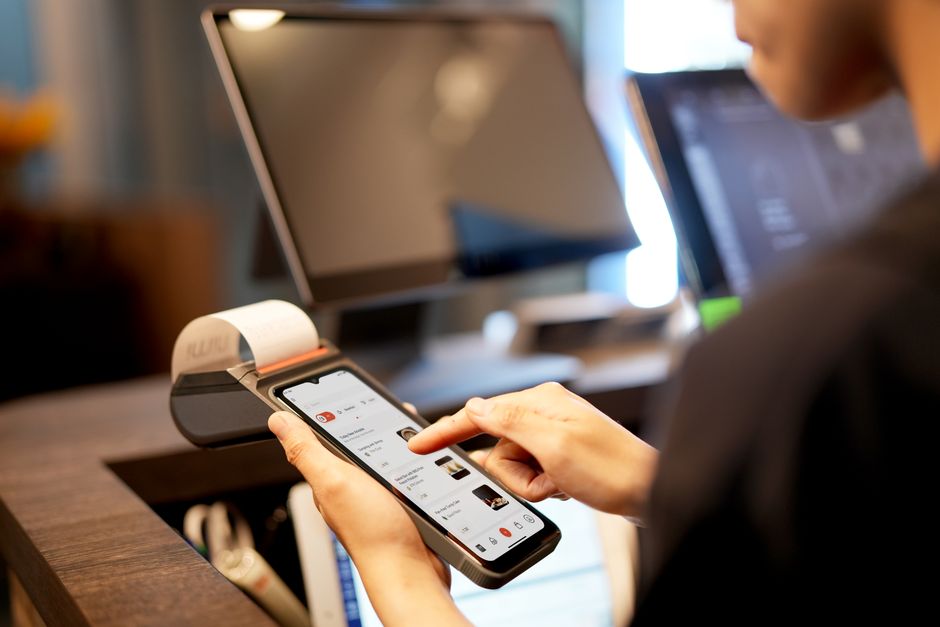

In this guide, we’ll break down how you can pay for food delivery faster on a phone using tools like digital wallets and saved payment methods. We’ll also cover how modern mobile checkout is designed with fewer steps, clear totals, and how biometrics are reducing friction to make payment both a breeze and secure.
Understanding Phone-First Checkout Expectations
Consumers today expect mobile checkout to be quick and intuitive — this is a baseline, not a bonus. When ordering food delivery, the process should feel almost instantaneous. Why? Because the entire experience lives on your phone, where you’re often juggling multiple apps, a busy environment, or just a craving that demands immediate satisfaction.
Here are some key expectations for mobile checkout:
- Speed: Less taps and waiting time mean better user satisfaction.
- Clarity: Clear pricing, tip options, taxes, and total cost upfront, so there are no surprises.
- Simplicity: No digging through menus or entering card details every time.
- Security: Confidence that payment data is protected but without complicated steps.
Meeting these expectations relies heavily on streamlining payment options and leveraging technology that many food delivery apps and platforms now offer.
Leveraging Digital Wallets for Faster Mobile Checkout
Digital wallets have become the backbone of quick and efficient mobile payment. They store your payment credentials securely and enable you to pay with a few taps without manually entering lengthy card numbers or shipping details.
What is a Digital Wallet?
A digital wallet is an electronic service that securely stores your payment information and credentials, like credit cards, debit cards, and even loyalty cards or coupons. Common digital wallets include:
- Apple Pay (iOS devices)
- Google Pay (Android devices)
- Samsung Pay (Samsung devices)
- PayPal’s mobile wallet feature
These platforms use tokenization, meaning they replace your actual card details with a unique digital identifier, making transactions more secure.
Benefits of Using Digital Wallets
Benefit Why It Matters for Food Delivery Speed Pay in seconds by authenticating with Face ID, fingerprint, or PIN without typing card details. Security Your card info isn’t shared directly with merchants, reducing fraud risk. Convenience Store multiple cards and switch effortlessly within apps. Integration Works natively with many food delivery apps for seamless checkout.How to Use Digital Wallets for Food Delivery Apps
- Set up your digital wallet on your phone: Add your Visa, Mastercard, American Express, or other eligible cards. Follow your phone’s prompts to verify and activate.
- Enable payment in the food delivery app: Most apps recognize and allow checkout via Apple Pay, Google Pay, or Samsung Pay. Select the appropriate option during checkout.
- Authenticate: Confirm your identity using biometrics like Face ID or fingerprint. This replaces the need to type in passwords or CVV codes.
- Complete the purchase: Payment confirmation happens instantly and your order is sent without delays.
The Power of Saved Payment Methods
While digital wallets are great, saved payment methods built directly into the food delivery app or website also speed things up. Saved payment methods mean your card details (Visa, Mastercard, or others) and billing address are securely stored within your account on the delivery platform.
Why Saved Payment Methods Matter
- Fewer steps: You don’t need to enter your card details each time you order, making checkout quicker.
- Personalized: Delivery apps sometimes store preferences like default tip amounts or favored cards.
- Multi-device: Saved information syncs across phones and tablets within the app login.
Best Practices for Saved Payment Methods
For best results with saved payment methods, follow these tips:
- Confirm expiration dates: Make sure your card info is up to date to avoid payment failures or delays.
- Use strong passwords: Since payment info is stored, secure your delivery app account with a robust password and two-factor authentication.
- Regularly review: Delete unused cards or accounts to reduce risk and clutter.
Designing for Faster Mobile Checkout: Fewer Steps, Clear Totals
Mobile user experience (UX) deserves a spotlight because a poorly designed checkout process is a common reason people abandon carts or delay their order. The best food delivery apps optimize for a quick, clear, and efficient payment flow.
Fewer Steps for More Speed
- Auto-fill and default choices: The app preselects your saved payment method and delivery address whenever possible.
- Minimal typing: Reduce manual entry by using dropdowns, toggles for tip selection, and prepopulated fields.
- One-page checkout: Combine order review, tip, and payment selection on a single screen to avoid navigation delays.
Clear Pricing and Totals Build Trust
Users want to see exactly what they’re paying — including taxes, delivery fees, and tips — upfront to avoid sticker shock.
- Visible order summary: Always present a detailed breakdown before final payment.
- Tip transparency: Clearly show suggested tip percentages and the total amount updated accordingly.
- Final total emphasis: Highlight the exact amount that will be charged to reassure customers.
How Biometrics Reduce Payment Friction on Mobile
One game-changing technology making payment quicker and more secure is biometrics — fingerprint scanning and facial recognition. Here’s what biometrics bring to the table:
- Speed: Unlock the ability to pay instantly, without typing a password or PIN.
- Security: Prevents unauthorized use of your phone or payment apps.
- Convenience: Works seamlessly with digital wallets and saved payment methods for one-tap payments.
How to Use Biometrics in Food Delivery Payment
- Make sure your phone settings are configured for biometric authentication (Face ID, Touch ID, or Android fingerprint sensor).
- Enable biometrics in your food delivery app under payment or security settings.
- When checking out via digital wallet or app saved payment, authenticate with your face or fingerprint instead of typing passwords.
- Enjoy one-tap payment confirmation and faster order placement.
Summary: Combining Tools for Lightning-Fast Payment
To pay for food delivery faster on your phone, the interplay of digital wallets, saved payment methods, and smart mobile UX backed by biometric authentication is what delivers the best results. Here’s a quick checklist to get started:
- Set up Apple Pay, Google Pay, or another digital wallet with your preferred payment cards.
- Save your payment methods directly within food delivery apps to skip re-entry every time.
- Choose apps that offer streamlined, one-page mobile checkout with clear total costs and tips.
- Turn on Face ID or fingerprint authentication for faster and safer transaction approval.
By adopting these strategies, you’ll spend less time on payment and more time enjoying your food — which is exactly how phone-first payment should work.
About the author: With over a decade covering tech and digital culture, I focus on repliesprovider how real people use products — cutting through buzzwords and vague claims to deliver practical insights you can trust.